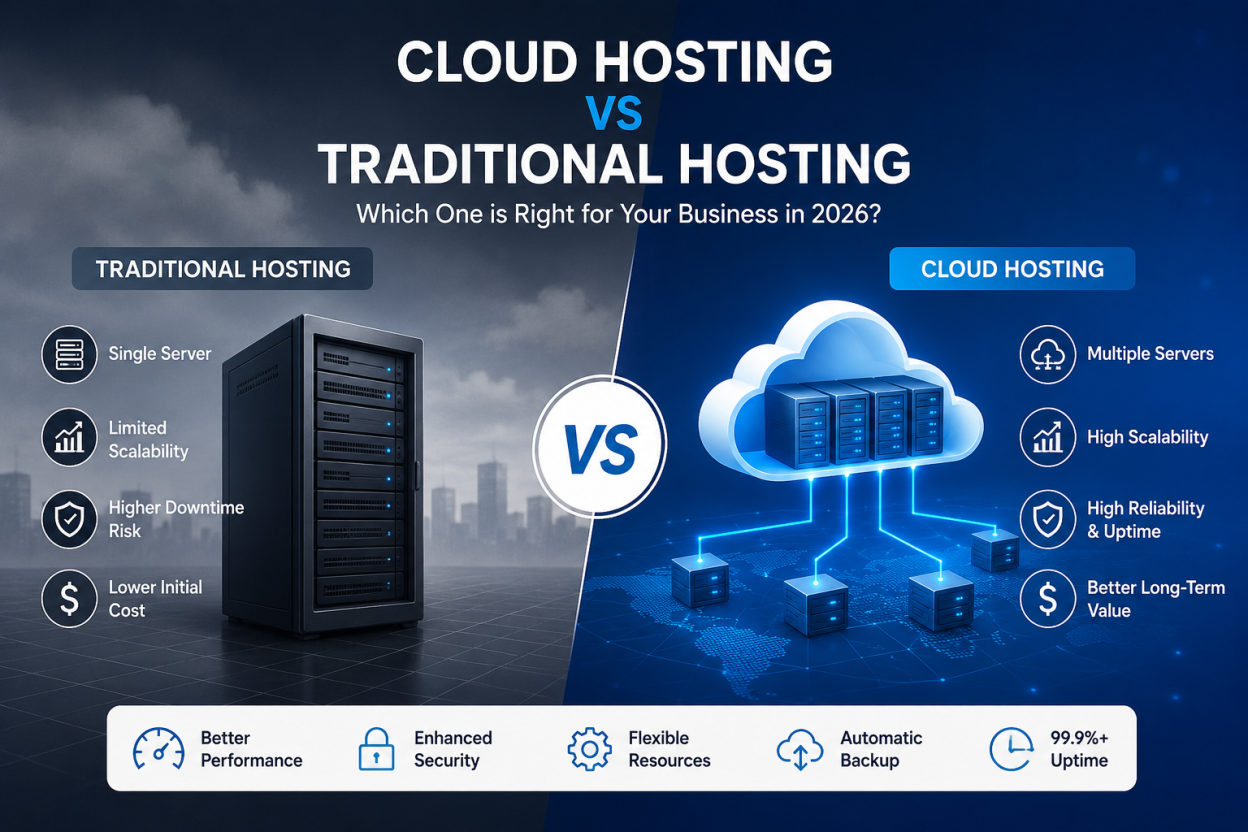
Cloud hosting vs traditional hosting is not a contest between modern and outdated technology. It is a choice between different resource models, failure risks, billing patterns, and levels of control. A small brochure site with steady traffic may run better and cost less on quality shared hosting. In contrast, a store that receives ten times its normal traffic during a sale needs more headroom, redundancy, and a tested recovery plan.
The right answer depends on what your website does when traffic rises, a server fails, a backup must be restored, or an invoice arrives. This guide compares those outcomes with measurable criteria. It also explains where hosting labels can mislead buyers.
Quick answer: Choose traditional hosting when traffic is predictable, the site is simple, and a fixed monthly bill matters most. Choose cloud hosting when traffic changes quickly, downtime has a direct business cost, or the application needs rapid scaling. However, do not buy the label alone. One cloud virtual machine can still be a single point of failure, while a well-managed dedicated server can be fast and stable.
What cloud hosting and traditional hosting actually mean?
Traditional hosting uses a defined server boundary
Traditional hosting usually places a website on one physical server or one fixed virtual environment. Shared hosting divides CPU, RAM, storage, and network capacity among many accounts. A virtual private server, or VPS, provides stronger isolation and assigned resources. A dedicated server gives one customer the entire machine.
The main advantage is predictability. The plan often has a fixed resource ceiling and a fixed bill. The trade-off is a clear failure domain. If the host machine, storage layer, or network path fails, the site needs a repair, restore, or move unless the provider has built separate redundancy.
Cloud hosting uses pooled, programmable resources
Cloud hosting draws compute, storage, and networking from a shared resource pool. The NIST definition of cloud computing identifies five essential characteristics: on-demand self-service, broad network access, resource pooling, rapid elasticity, and measured service. Those traits matter more than the word cloud in a product name.
Cloud resources can be provisioned quickly and billed by allocation or use. Yet cloud does not automatically mean multi-server availability. A single cloud instance with one database and one storage volume can fail like any other server. Real resilience needs health checks, a load balancer, replicated data, and capacity in another failure zone. That distinction matters in every cloud hosting vs traditional hosting comparison.

Cloud hosting vs traditional hosting: quick comparison
| Decision factor | Traditional hosting | Cloud hosting |
| Resource model | Fixed server or fixed virtual allocation | Pooled resources provisioned through a platform |
| Scaling | Usually a plan upgrade, resize, or migration | Fast vertical scaling and possible horizontal scaling |
| Failure handling | Often tied to one host unless clustering is included | Can use zones and replicas, but architecture must enable them |
| Billing | Usually predictable monthly or annual pricing | Fixed, usage-based, or mixed billing with possible overages |
| Control | Ranges from managed shared hosting to full dedicated control | Ranges from managed platforms to full infrastructure control |
| Best fit | Stable workloads, simple sites, and budget predictability | Variable demand, automation, distributed apps, and fast growth |
The table shows tendencies, not guarantees. A premium managed shared plan can outperform a poorly configured cloud server. Likewise, a dedicated server may deliver excellent value for a steady, resource-heavy workload that does not need rapid elasticity.
Performance: why cloud hosting is not automatically faster
Hosting affects Time to First Byte, or TTFB, and the amount of work a server can complete under load. It cannot repair a 5 MB hero image, render-blocking JavaScript, weak database queries, or a missing cache. That is why a move to cloud infrastructure can produce no visible speed gain on an unoptimised site. A fair cloud hosting vs traditional hosting speed test must use the same application, traffic pattern, cache state, and server location.
Google’s Core Web Vitals guidance defines a good Largest Contentful Paint at 2.5 seconds or less, Interaction to Next Paint at 200 milliseconds or less, and Cumulative Layout Shift at 0.1 or less. Teams should assess these metrics at the 75th percentile, not from one fast test on an office connection.
Measure median and 95th-percentile server response time before changing hosts. An average of 300 milliseconds can hide the slowest 5 percent of requests taking several seconds. Also record error rate, CPU, memory, database time, and cache-hit ratio during a realistic traffic test.
Real problem: a WordPress site feels fast at 2 a.m. but slows during a campaign. First enable page and object caching, compress images, use a content delivery network, and profile plugins. Then load-test the checkout, search, or login path that cannot be fully cached. BISUP’s guide to why a website is slow covers those application-level fixes in more detail.
Reliability and downtime: the architecture behind uptime
Availability percentages look similar until they are converted into time. Theoretical annual downtime changes sharply with each additional nine. Actual service-level agreements may exclude maintenance, customer errors, attacks, and third-party failures, so buyers must read the measurement method. Therefore, a cloud hosting vs traditional hosting uptime comparison must examine the SLA scope as well as the advertised percentage.
| Availability target | Maximum downtime per year | What it means in practice |
| 99.0% | 87 hours 36 minutes | More than three and a half days |
| 99.9% | 8 hours 46 minutes | Nearly one working day |
| 99.95% | 4 hours 23 minutes | About half a working day |
| 99.99% | 52 minutes 34 seconds | Less than one hour |
Cloud can reduce hardware-related downtime when the workload runs across independent locations. AWS Well-Architected guidance, for example, recommends avoiding single points of failure and distributing critical resources across multiple Availability Zones. A provider dashboard that says cloud does not prove the customer’s application follows that design.
Backups and failover solve different problems. A backup restores data after loss or corruption. Failover keeps a service available when a component fails. A daily backup implies a recovery point objective of up to 24 hours, while a four-hour recovery time objective means the business accepts up to four hours to restore service.
Monitor the homepage, DNS, database login, and highest-value transaction from outside the hosting network. The BISUP hosting uptime monitoring guide explains why a successful ping does not prove that checkout, forms, or authenticated pages work.
Scalability: handle traffic peaks without buying permanent capacity
Vertical scaling adds CPU, RAM, or storage to one server. Horizontal scaling adds more application instances and distributes requests through a load balancer. Traditional plans often support vertical upgrades. Cloud platforms can support both models, although horizontal scaling requires the application to store sessions, files, and state outside one web server.
Do not upgrade based on monthly visitor count alone. A cached article and a Woo Commerce checkout use very different resources. Instead, watch concurrent requests, requests per second, cache-hit ratio, database connections, queue depth, 5xx errors, CPU, and memory. As an example trigger, sustained CPU above 70 percent for 15 minutes combined with rising 95th-percentile response time deserves investigation. It is not a universal limit.
Real problem: a sale creates ten times normal demand for four hours. A practical solution starts with a CDN and full-page caching for public pages. Next, separate media into object storage, protect the database connection pool, queue background work, and test autoscaling before the event. Scaling only the web tier can move the bottleneck to the database.
If a site repeatedly reaches shared resource limits, review BISUP’s guide on when to move from shared hosting to a VPS. That page owns the detailed upgrade thresholds, while this comparison focuses on the hosting model.
Cloud hosting vs traditional hosting cost: compare total operating cost
Traditional shared hosting usually offers the lowest and most predictable entry price. Dedicated servers also use fixed pricing, but customers pay for idle capacity. Cloud billing can match capacity to demand. However, the invoice may include compute, storage, snapshots, managed databases, requests, public IPs, support, data transfer, and egress.
Use this monthly model: infrastructure plus management plus backups plus bandwidth and egress plus monitoring plus recovery risk. Include staff time. In a hypothetical example, a $20 unmanaged server that needs three hours of administration at $30 per hour costs $110. A $55 managed plan that needs 30 minutes of owner time costs $70. The example does not prove managed hosting always wins. It shows why the plan price can hide the largest cost.
A brochure site that stays within one resource tier rarely benefits from complex usage billing. In contrast, an event site that needs eight times normal capacity for only six hours may save money by scaling temporarily. Set budget alerts at 50, 80, and 100 percent of the monthly limit, then review unused volumes, snapshots, instances, and reserved IP addresses every month.
When comparing BISUP options, use the current VPS hosting plan page for live vCPU, RAM, NVMe storage, bandwidth, term, and renewal details. Avoid copying promotional prices into evergreen comparisons unless the article records a verification date.
Security and compliance: responsibility changes, risk does not disappear
Both models can be secure. The key question is who patches the operating system, configures the firewall, controls identities, monitors logs, protects secrets, updates the CMS, and tests restores. More control creates more responsibility, regardless of whether the server sits in a cloud platform or a data centre. For cloud hosting vs traditional hosting security, responsibility is more useful than the product label.
AWS describes cloud security as a shared responsibility model. The provider protects the underlying facilities and infrastructure. The customer still protects data, accounts, permissions, applications, and configurations, with the exact boundary changing by service. Managed shared hosting may move operating-system work to the provider, but it does not make a vulnerable WordPress plugin safe.
Use multi-factor authentication, least-privilege access, TLS, a web application firewall, DDoS controls, central logs, prompt patching, and encrypted off-server backups. Match backup frequency to data change. A store receiving orders every five minutes cannot rely on one nightly copy without accepting up to a day of lost transactions. Test a restore at least quarterly and record the actual recovery time.
For a broader checklist, read BISUP’s cloud computing security guide. Businesses with regulated data should also confirm data location, retention, audit logging, breach notification, subcontractors, and the provider’s relevant certifications before purchase.
Control and management: who keeps the server healthy
Shared hosting gives the least server-level control and the smallest maintenance burden. An unmanaged VPS or infrastructure cloud instance gives root access, but the customer must harden the operating system, patch packages, monitor resource use, rotate credentials, and recover failed services. Managed hosting adds expert operations, although the support boundary varies by provider.
Before buying, write down the exact tasks your team can perform at 3 a.m. If nobody can diagnose a full disk, failed database, broken TLS renewal, or compromised account, an unmanaged server is not cheap. Ask whether support covers only the host node or also the control panel, web server, database, CMS, malware cleanup, and application errors.
Cloud automation can reduce repetitive work through images, APIs, infrastructure as code, and managed services. It can also create vendor lock-in. Record how you will export databases, object storage, DNS records, certificates, logs, and backups. A tested exit path gives the business leverage even if it never changes provider.
Which hosting model fits your website?
Small company or portfolio site
Choose quality shared or managed WordPress hosting when pages are mostly public, traffic is stable, and the business can tolerate a short maintenance window. Prioritise a nearby server location, caching, daily backups, SSL, and support. Paying for a multi-zone cloud architecture would add cost without solving a current constraint.
Growing content site or agency portfolio
Start with managed hosting or a managed VPS, then move when CPU limits, memory pressure, 503 errors, backup duration, or editorial peaks become measurable. A VPS often provides the useful middle ground: dedicated resources and predictable pricing without a distributed cloud design.
E-commerce, booking, or membership site
Prefer an environment with dedicated resources, tested backups, transaction monitoring, and a recovery plan. Cloud hosting becomes valuable when campaigns or seasonal demand create large peaks. Still, the database, payment flow, inventory updates, and login sessions must remain consistent across instances.
SaaS product, API, or mobile backend
Cloud infrastructure usually fits a product that deploys often, uses queues or managed databases, and needs staging environments or horizontal scaling. Define service objectives first. For example, a 99.95 percent monthly target, a 15-minute recovery point objective, and a one-hour recovery time objective lead to concrete architecture and backup choices.
Steady, compute-heavy workload
A dedicated server can offer strong price-to-performance when demand stays high all month and the workload needs predictable CPU, RAM, disk throughput, or custom hardware. Add redundant storage, off-server backups, monitoring, spare capacity, and a documented replacement process. Fixed hardware does not remove the need for resilience.
A low-risk migration checklist
Migration risk comes from missing dependencies, stale data, DNS timing, and an untested rollback. Use the sequence below whether you move from shared hosting to a VPS, from a dedicated server to cloud, or between providers.
- Record the current p75 Core Web Vitals, p95 response time, uptime, error rate, CPU, memory, storage, and monthly cost.
- Inventory domains, DNS, certificates, mail, databases, cron jobs, background queues, file paths, IP allowlists, and third-party integrations.
- Set success criteria and recovery objectives. Define acceptable data loss, downtime, performance, and budget.
- Create a full backup, store a copy outside the source server, and prove that it restores before the cutover.
- Build and test the target with a temporary hostname or local hosts-file entry. Test forms, logins, checkout, webhooks, jobs, and admin actions.
- Lower DNS TTL 24 to 48 hours before the move. Synchronise changed data, switch during a quiet period, and monitor synthetic transactions.
- Keep the source available for 48 to 72 hours. Roll back if agreed thresholds fail, then retire it only after logs, backups, and billing are verified.
For a longer implementation sequence, use BISUP’s guide to migrating to cloud without downtime. The safest cutover is reversible, observable, and tested with real transactions before users arrive.
How to evaluate a hosting provider?
A useful provider comparison replaces words such as unlimited, enterprise, and cloud-ready with limits that can be verified. Ask for written answers and keep a copy of the plan terms available on the purchase date.
- Resources: exact vCPU, RAM, NVMe or SSD capacity, IOPS limits, bandwidth, egress, process limits, database connections, and inode limits.
- Availability: SLA percentage, measurement window, exclusions, credits, maintenance policy, and whether the application spans independent failure zones.
- Backups: frequency, retention, storage location, encryption, restore method, restore fee, and a tested recovery time.
- Security: DDoS protection, WAF options, malware response, patch ownership, multi-factor authentication, access logs, and data location.
- Support: 24/7 availability, response targets by severity, managed-service boundary, escalation path, and emergency migration help.
- Billing: introductory term, renewal price, overage rates, taxes, support charges, cancellation rules, and budget alerts.
- Performance: server location, network capacity, caching, CDN options, current-status history, and trial or refund window.
Choose the constraint you can manage
There is no universal winner in cloud hosting vs traditional hosting. Traditional hosting is often the smarter choice for a simple site with steady traffic, a limited budget, and no need for custom automation. A VPS is a practical next step when the site needs isolated resources or more control.
Cloud hosting earns its value when demand changes quickly, environments must be created on demand, or the business needs a designed path around hardware failure. Even then, reliability comes from the architecture, monitoring, backups, and operating process. The cloud label alone cannot provide it.
Make the decision from evidence. Measure the current bottleneck, calculate total monthly cost, define recovery objectives, and test the proposed setup under realistic load. Then choose the simplest model that meets those requirements with room to grow.
Frequently asked questions
Traditional hosting usually assigns a website to one server or a fixed virtual environment. Cloud hosting uses pooled resources that can be provisioned quickly and measured by allocation or use. However, either model needs explicit redundancy to avoid a single point of failure.
It can be faster under load because it can provide more isolated capacity and flexible scaling. It is not automatically faster. Page weight, caching, database queries, plugins, JavaScript, CDN configuration, and server location can matter more on a quiet site.
Yes. A single cloud instance, database, storage volume, DNS provider, or bad deployment can cause downtime. High availability needs health checks, separate failure zones, replicated data, failover capacity, and a tested recovery process.
VPS describes virtualization, while cloud describes how resources are pooled, provisioned, scaled, and measured. A VPS can run on one traditional host, or it can be sold as a cloud VPS on a broader platform. Ask how storage, networking, failover, and resizing work.
A small WordPress site usually gets better value from quality managed WordPress or shared hosting. A busy publisher, store, or membership site may need a managed VPS or cloud setup. Choose from measured resource use, uncached traffic, database load, uptime needs, and available technical support.
Not always. It can reduce waste for short, variable workloads, but usage charges, storage, backups, egress, managed services, support, and staff time can raise the total. Compare a full monthly cost model instead of the advertised compute price.
Take and test an off-server backup, build the new environment before changing DNS, lower TTL in advance, synchronise recent data, test every transaction, monitor after cutover, and keep the old server available for 48 to 72 hours as a rollback option.