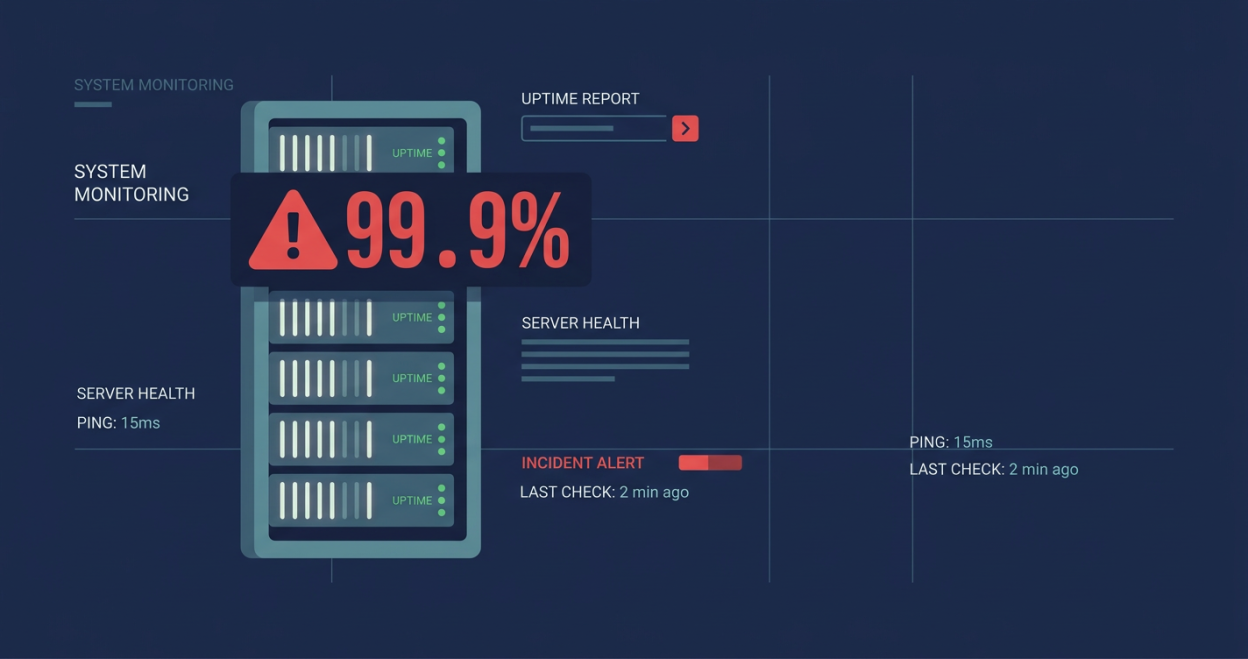
If you want to learn how to check hosting uptime accurately, you are in the right place. Literally, the one single thing that every hosting provider on the internet puts high on a pedestal is reliability. You could wake up tomorrow, check any hosting homepage, and find this boldly inscribed on their hero section: 99.9% uptime guaranteed. It sounds safe. It sounds professional. But most website owners do not even understand what that figure means, and hosting companies count on that.
This guide will show you how to check hosting uptime using independent tools, how to understand your SLA before it bites you, and what red flags to watch for before trusting a provider with your website.
Real HoursWhat “99.9% Uptime” Means When You Check Hosting Uptime
Before you learn how to check hosting uptime, you need to understand what uptime promises are actually worth. The math is a little more uncomfortable than the marketing suggests.
| Uptime Promise | Allowed Downtime Per Year | Allowed Downtime Per Month |
|---|---|---|
| 99% | 87 hours 36 minutes | 7 hours 18 minutes |
| 99.9% | 8 hours 45 minutes | 43 minutes |
| 99.95% | 4 hours 22 minutes | 21 minutes |
| 99.99% | 52 minutes | 4 minutes |
That 99.9% uptime guarantee you just paid for sometimes legally allows your website to be completely unreachable for nearly nine hours a year, and your provider would still be fulfilling their promise.
Nine hours is quite a substantial inconvenience for a business taking orders, booking appointments, or generating leads online. It simply means lost revenue, damaged customer trust, and an SEO penalty from crawl errors that could take months to recover from. The number is technically the truth. It just does not tell the whole story.

How to Check Hosting Uptime: 5 Independent Tools That Tell the Truth
Whether you are researching a top VPS hosting provider or already have a host, do not rely on your provider to tell you when your site goes down. By the time they notify you, you have already lost traffic and customers. Instead, set up independent monitoring from day one. Here are the best tools to check hosting uptime yourself.
1. UptimeRobot (Free)
UptimeRobot is the most widely used free uptime monitoring tool available. It checks your website every five minutes from multiple locations and sends instant alerts via email, SMS, or Slack the moment your site goes down. The free plan stores 90 days of uptime history, which is more than enough to build a clear picture of your provider’s actual reliability.
Best for: Individual websites, small businesses, bloggers. Image alt text: UptimeRobot dashboard showing uptime percentage and response time graph.
2. Freshping (Free)
Freshping checks your site every minute on the free plan, which is faster than UptimeRobot, and also gives you a shareable public status page to show your own customers. It checks from multiple locations around the world, making it useful for catching location-specific outages.
Best for: Agencies, developers, and anyone who wants to display uptime publicly.
3. Hetrix Tools (Free Tier Available)
Hetrix Tools is a solid choice when you want both website monitoring and server-level monitoring from a single dashboard. It checks response time alongside availability, so you can catch situations where a site is technically up but loading so slowly that it might as well be down.
Best for: Developers and teams managing multiple servers.
4. Better Uptime (Paid)
Better Uptime is built for teams that need incident management beyond monitoring. It covers on-call scheduling, escalation routing, and detailed incident reports. If your website is business-critical and downtime triggers a formal response process, this tool is worth the investment.
Best for: SaaS companies, e-commerce stores, and enterprise sites.
5. Pingdom (Paid)
Pingdom is the industry standard for professional uptime and performance monitoring. Beyond checking whether your site is up, it measures page load times, transaction monitoring, and real-user behavior data. Its historical reporting is detailed enough to use as evidence when disputing SLA violations with your hosting provider.
Best for: High-traffic websites and teams that need detailed performance data.
What to Monitor When You Check Hosting Uptime
When you check hosting uptime, most people only monitor their homepage. That is a mistake. A server can return a healthy response on the homepage while your checkout page, contact form, or database connection quietly fails. Here is what to monitor for a complete picture:
- Your primary domain for the basic availability check.
- Your highest-value page such as the checkout page, booking page, lead form, or pricing page.
- An authenticated page to catch database or login failures that a simple ping will not detect.
- Server response time because a page that takes 10 seconds to load is functionally down for most users. Google’s Core Web Vitals threshold for a good experience is 2.5 seconds.
Set up alerts for both downtime, meaning the site is unreachable, and slowdowns, meaning response time exceeds a threshold such as 3 seconds. The second causes just as much damage to conversions and SEO as full outages do.
The SLA Fine Print That Affects Your Hosting Uptime
Now that you know how to check hosting uptime independently, you also need to understand what your provider’s SLA actually covers. Even if a provider genuinely achieves 99.9% uptime, the SLA often contains exclusions that protect the provider far more than they protect you.
Common Downtime Exclusions
Most SLAs define uptime only for network availability, meaning the servers are technically reachable, not whether your website is actually loading correctly. Downtime caused by any of the following is commonly excluded:
- Scheduled maintenance: If your provider announced the window in advance, that downtime does not count toward any SLA credit, even if your site was offline for two hours.
- DDoS attacks: Malicious traffic that brings your site down is usually excluded as a force majeure or third-party event.
- Third-party failures: DNS provider outages, CDN failures, or upstream network issues are almost universally excluded.
- Your own actions: A misconfigured plugin, a bad code deployment, or a script that consumes all server resources is classified as user error.
- Force majeure: Power outages, natural disasters, and similar events are blanket exclusions in virtually every SLA.
These exclusions are not always unreasonable. Some genuinely are outside a provider’s control. However, they mean the covered uptime is a far narrower promise than the headline figure suggests.
The Credit Trap
Suppose your site goes down and it does fall under covered downtime. What compensation do you actually receive?
Most hosting providers offer service credits. There are no refunds and no compensation for lost business, just a small percentage off your next bill. A typical credit structure looks like this:
- 99% to 99.9% uptime: 5% credit
- 95% to 99% uptime: 10% credit
- Below 95%: 25% to 50% credit
If your site was down for five hours and you pay $10 per month for hosting, you might receive a $0.50 credit. Meanwhile, your e-commerce store missed orders, your leads went to a competitor, and your SEO rankings dropped from crawl errors. The credit compensates for the cost of hosting, which is an entirely different number from the actual cost of downtime.
How Providers Manipulate Hosting Uptime Statistics
Understanding how to check hosting uptime also means understanding how those numbers can be shaped to look better than they are.
Internal-Only Monitoring
Some providers measure uptime from inside their own network. They ping their own servers and confirm the servers respond, to themselves. This does not measure whether a user in Kathmandu, London, or New York can actually reach your website. A routing issue or DNS failure between the server and your visitors will not appear in their internal monitoring at all.
Rolling Window Calculations
Uptime is often calculated over a rolling 30-day period rather than annually. A provider that experiences a major outage in one month can credit only that month while still advertising 99.9% annual uptime, because they average the figure across all other months.
No Public Status Page
A provider that is serious about transparency will have a public status page, which is a live and independently hosted dashboard showing real-time and historical uptime. If a company does not have one, or if their status page is hosted on the same server as their product, meaning it goes down when their services go down, that is a clear red flag.

5 Questions to Ask Your Hosting Provider Right Now to Check Hosting Uptime
Armed with independent monitoring data and an understanding of SLA fine print, here are direct questions to put to any hosting provider:
- “How do you calculate uptime? Do you monitor from inside your network or from external locations?” A credible provider will confirm external, multi-region monitoring.
- “Do you have a public status page with at least 12 months of historical uptime data?” If they cannot or will not show historical data, treat that as a warning sign.
- “What downtime events are specifically excluded from your SLA?” Ask for the exclusions in plain language, not a link to 4,000 words of legal text.
- “Are SLA credits issued automatically, or do I need to submit a claim?” Many providers require customers to request credits. Most customers never do.
- “Where are your uptime monitoring servers located?” This is especially important when most of your audience is based in a specific country or region.
What Genuinely Transparent Hosting Looks Like
Knowing how to check hosting uptime yourself is your safety net, but you also want a provider who makes independent verification easy. Transparent hosting providers share certain clear characteristics:
- A public, independently hosted status page with real-time and historical data that stays online even during an outage.
- Proactive incident communication so customers receive a notification before they discover the problem themselves.
- Plain-language SLA documents with exclusions clearly listed, not buried in legal appendices.
- Automatic credits issued without requiring a customer to complain or file a claim.
- Response time guarantees, not just availability guarantees, because a slow site harms your business just as much as a downed one.
- Honest marketing because a shared hosting provider with hundreds of customers per server cannot realistically advertise 99.99% uptime.
Providers who operate this way compete on what they actually deliver, not on how their SLA is worded.
How to Use Your Own Data to Hold Providers Accountable
After 30 days of independent monitoring, you will have your own uptime record. Here is how to use it:
- Compare your data against your provider’s status page. Any discrepancies between what you recorded and what they reported are worth flagging.
- Calculate your actual uptime percentage using your monitoring tool’s dashboard. Most tools calculate this automatically.
- Document outages with timestamps. If you need to claim an SLA credit, timestamped logs from an independent tool are far more persuasive than a verbal complaint.
- Review at the 90-day mark. A single bad month can be a fluke. Three months of data reveals a pattern.
If your provider’s actual uptime consistently falls short of their SLA promise, you have documented grounds to request credits, escalate, or switch providers with confidence.
Frequently Asked Questions
What is a good uptime percentage for web hosting? For most websites, 99.9% monitored uptime, which allows around 43 minutes of downtime per month, is acceptable. For e-commerce or business-critical sites, look for providers offering 99.95% or above with clearly defined SLA terms.
How often should I check my hosting uptime? You should not manually check uptime at all. Use an automated monitoring tool like UptimeRobot or Freshping that checks every one to five minutes and sends an alert immediately when your site goes down.
Can I check hosting uptime for free? Yes. UptimeRobot and Freshping both offer free plans that are adequate for most personal and small business websites. Free plans typically check every one to five minutes and store 30 to 90 days of history.
What counts as downtime in a hosting SLA? This varies by provider, but most SLAs define downtime as the server being unreachable from outside the network. Individual page errors, slow load times, or outages caused by maintenance, DDoS attacks, or third-party services are usually not counted.
The Bottom Line
One highly important action is learning how to check hosting uptime independently so you can protect your website. Do not wait for your provider to tell you that a problem exists. Set up a free monitoring tool today, understand your SLA before you need it, and use your own data to hold providers accountable.
A reliable hosting provider will respond positively to every question in this guide. In fact, they should already have the answers ready. That is exactly the standard we hold ourselves to at Bisup, and the same standard you should expect from anyone hosting your website.