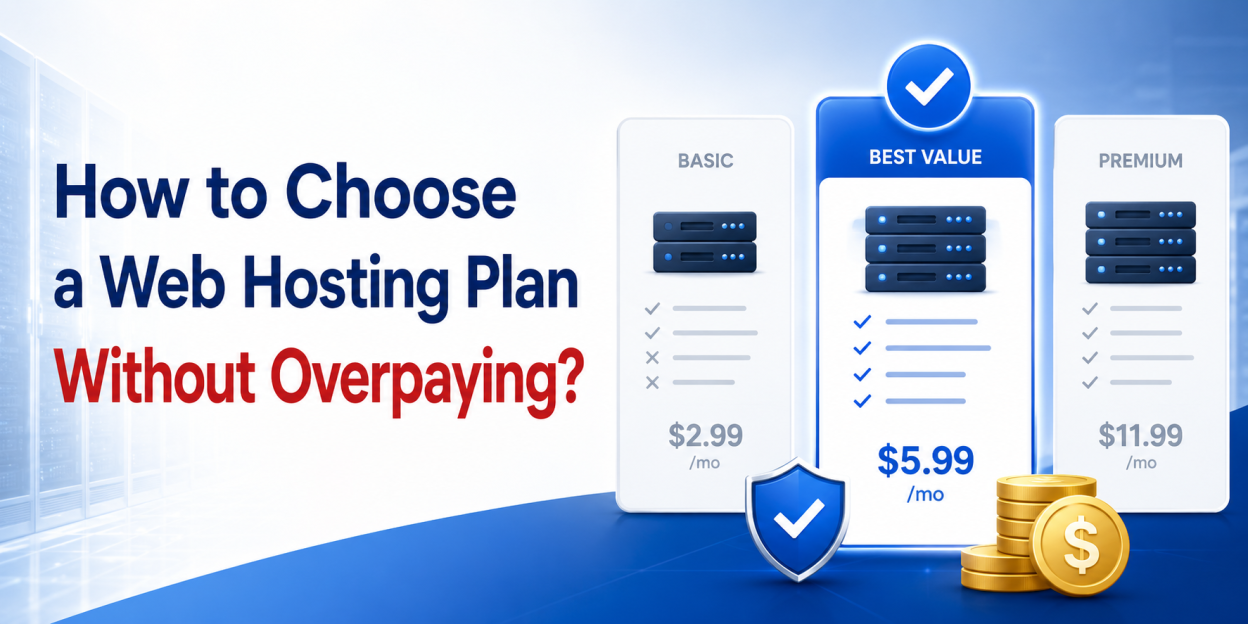
| Quick answer Choose a hosting plan by matching four numbers to your site: monthly visits, average page weight, the resource limits on the plan, and the renewal price. Ignore storage and bandwidth headlines. Most sites under 25,000 monthly visits belong on shared hosting. |
Hosting pricing tables are built to make comparison hard. They lead with numbers that rarely bind, such as unlimited storage and unmetered transfer, and they bury the numbers that decide your experience, such as CPU allocation and renewal price. The result is predictable: buyers either overpay for a plan sized for traffic they will not see for three years, or underbuy and hit resource errors during their first successful campaign. If you are still working out what hosting does at all, start with the plain English guide to web hosting and come back.
This guide replaces the marketing numbers with four you can actually measure, gives you a decision table, and then audits the checkout so the price you agree to is the price you keep paying.
The four numbers that decide your plan
1. Monthly visits, taken from your analytics
Not projected visits. Not the traffic you hope the redesign brings. Use the last three months of actual sessions, and use the busiest month rather than the average, because capacity has to cover the peak. If the site does not exist yet, assume you are in the smallest bracket, since almost every new site is.
2. Average page weight
Page weight drives resource use more than visit count does. A 6MB page serving uncompressed hero images consumes several times the resources of a 1.5MB page at identical traffic. Measure it in your browser developer tools across your five most visited pages. The same figure feeds directly into the bandwidth calculation, and reducing it is almost always cheaper than upgrading the plan.
3. The resource limits, not the storage figure
This is the number providers publish least clearly, and it is the one that produces 503 and 508 errors during traffic spikes. Look for CPU allocation, physical memory, entry processes and concurrent connections. Storage and transfer allowances almost never bind first, for the reasons set out in what unlimited storage actually means. If a provider publishes resource limits openly, that is a meaningful signal about the plan. If it publishes only unlimited claims, you are being asked to buy on faith.
4. The renewal price, not the promotional price
The industry standard pattern is a deep first term discount followed by renewal at list price, often on a 36 month term so the discount looks larger. Calculate your second term total before you buy. Some providers now lock the renewal rate to the initial rate and publish that commitment, which removes the problem entirely, and it is worth checking whether the provider you are comparing does so.
The decision table
| Monthly visits | Site type | Plan that fits | What would push you higher |
| Under 5,000 | Brochure site, portfolio, new blog | Entry shared hosting | Nothing. Do not overbuy at this stage |
| 5,000 to 25,000 | Established blog, small business site | Mid tier shared hosting | Heavy plugins, many mailboxes, large media |
| 25,000 to 75,000 | Content site, small store | Top shared tier or entry VPS | Checkout or login paths that cannot be cached |
| 75,000 to 200,000 | Busy store, publisher | VPS | Database heavy queries, background jobs |
| Above 200,000 | High traffic publisher, application | Managed VPS or cloud | Multiple app instances, load balancing |
Two caveats keep this table honest. A cached content site sits comfortably at the top of its bracket, while an uncached store with a busy checkout struggles at the bottom of the same bracket, because dynamic requests cannot be served from cache. And traffic spread matters: 25,000 visits arriving evenly is a different problem from 25,000 arriving in two hours after a campaign. If your pages already feel slow at current traffic, diagnose that first with why your website is slow, because upgrading a plan rarely fixes an application problem.
What actually differs between plans?
Once you know your bracket, compare within it on the things that vary rather than the things every provider claims.
| Factor | Why it matters | How to check it |
| Storage type | NVMe outperforms older SATA SSD on database heavy sites | Stated on the plan page, ask support if absent |
| CPU and memory limits | Decides behaviour during traffic spikes | Plan page or knowledge base, ask if unpublished |
| Server location | Adds or removes latency for your main audience | Ask which data centre serves your region |
| Control panel | Shapes daily work and portability | Named on the plan page |
| Support response time | The single biggest experience variable | Open a pre-sales ticket and time the reply |
| Uptime commitment | Defines what downtime is considered acceptable | Read the SLA and the exclusions |
| Migration | Free migration removes the main switching cost | Confirm it covers your site size and count |
| Renewal rate | Decides your real long term cost | Look for a published renewal price |
Support response time deserves more weight than it usually receives, because it is the one factor you cannot recover from by upgrading later. Uptime deserves careful reading rather than trust: a 99.9 percent commitment permits roughly 43 minutes of downtime a month, as how to check hosting uptime explains, and most agreements exclude scheduled maintenance and require you to claim credit yourself. The control panel decision is covered separately in cPanel vs DirectAdmin.
Audit the checkout before you pay
The plan price is only part of the total. Hosting checkouts commonly arrive with add-ons pre-selected, and those add-ons frequently cost more than the plan itself. Untick everything, then add back only what you have decided you need. Our breakdown of hosting add-ons and which ones to skip goes through each one, but the short version applies to most buyers.
- SSL is normally free through AutoSSL, so a paid certificate is only for wildcard or organisation validation.
- Basic backups are usually included, so pay only for longer retention or self service restore.
- Malware scanning may already run server side, in which case a second scanner duplicates it.
- SEO submission tools do nothing you cannot do free in Search Console.
- A dedicated IP is unnecessary for a standard website since Server Name Indication removed the SSL requirement.
Then check the term. A 36 month commitment produces the lowest monthly figure and the largest amount of money at risk if the provider disappoints. If you have not tested the support yet, a shorter first term costs a little more and buys you an exit.
Regional pricing reality
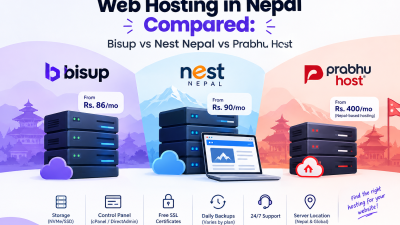
Absolute prices vary widely by market, and comparing a local provider against an international one on headline price alone misses currency conversion fees, payment method availability and support hours in your timezone. For Nepali buyers, what web hosting costs in Nepal sets out realistic local figures. For freelancers and side projects billing in dollars, the cost to run a website in the US breaks the same question down differently.
After you buy
The plan decision is the smaller half of the job. Configuration decides whether the account is secure, whether your mail reaches the inbox, and whether you can recover from a failure. Work through the twelve point setup checklist in your first week. If you are moving an existing site rather than starting fresh, follow the sequence in the migration guide so the switch causes no downtime.
If you have worked through the four numbers and landed in the shared bracket, compare Bisup hosting plans on resource limits and renewal price rather than on storage claims. And, If you landed above it, VPS plans are the right place to look, and shared hosting explained will tell you whether you have genuinely outgrown the cheaper option or simply have an un-optimised site.
Frequently asked questions
Entry or mid tier shared hosting covers almost every small business site. Below roughly 25,000 monthly visits, resource limits rarely bind, and the money is better spent on a supported PHP version, daily backups and responsive support than on a larger plan.
Neither figure usually decides your experience. Unlimited storage is capped by an inode count, and unmetered transfer is capped by CPU and memory limits. Compare plans on published resource limits and renewal price instead.
Upgrade when traffic spikes produce 503 or 508 resource errors rather than merely slow pages, when your database queries are the bottleneck, or when you need root access. Slow pages alone usually indicate an application problem that a bigger plan will not fix.
Most providers discount the first term heavily and renew at list price, and any add-ons renew alongside it. Calculate the second term total before buying. Some providers publish a locked renewal rate, which removes the issue entirely.
It matters for latency to your main audience, typically adding tens of milliseconds across long distances. A content delivery network reduces the effect for static files, but dynamic requests still travel to the origin server, so location remains relevant for stores and applications.