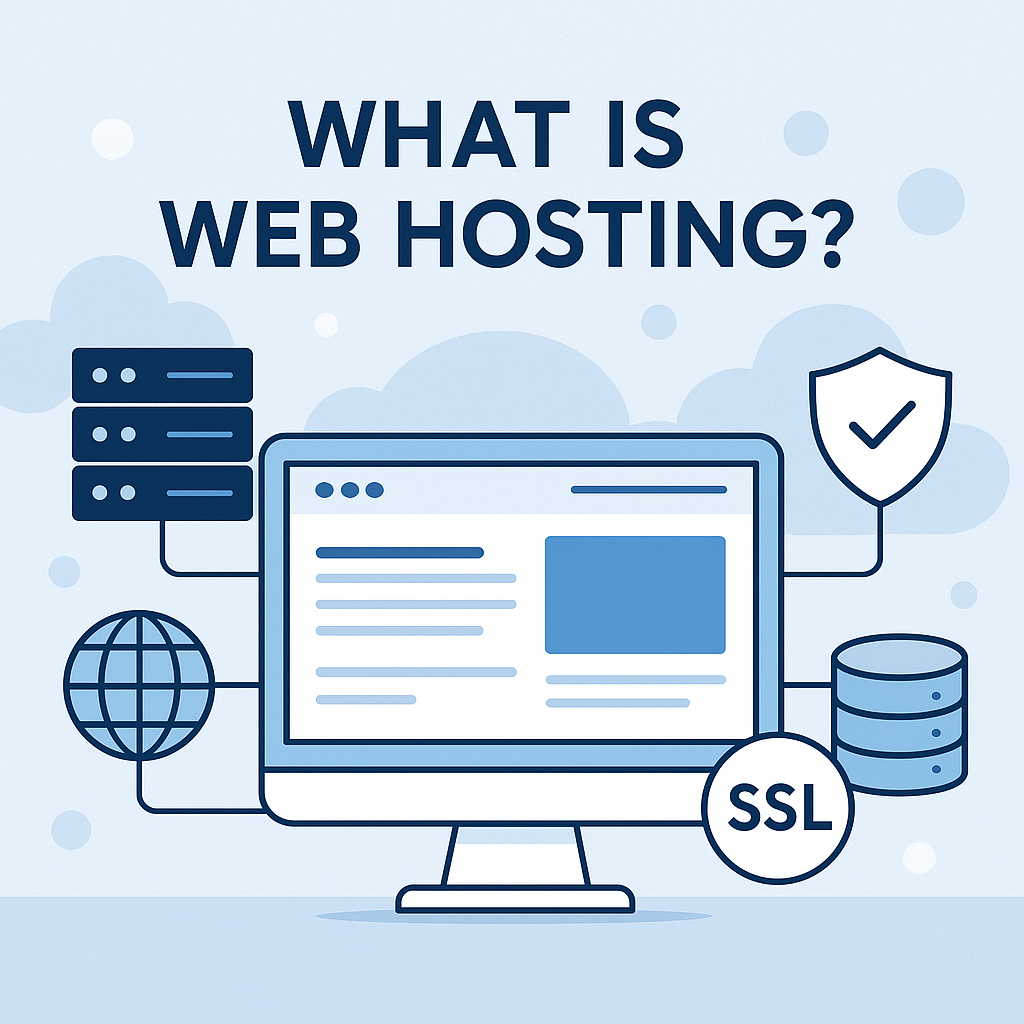
Web hosting is the service that stores your website’s files on a server and delivers them to visitors the moment they type your domain into a browser. Without it, a domain name has nowhere to point, and a website has no way to exist online.
This guide breaks down exactly how web hosting works, walks through the main hosting types available in 2026, and shows you how to choose a plan that actually fits your website rather than one that just fits a sales page.

What Is Web Hosting and How Does It Work?
A server is a physical computer that stays connected to the internet around the clock. Your web hosting provider stores your website’s files, images, and databases on that server.
When a visitor types your domain name into a browser, that browser sends a request to your server. In response, the server sends back the files needed to display your page, usually in under a second.
In fact, the average first-page Google result loads in roughly 1.65 to 1.96 seconds, according to research from Backlinko and Queue-it. As a result, hosting speed alone can influence whether a page even qualifies to rank on page one.
A domain name and web hosting often get confused, but they serve different purposes. Your domain is the address visitors type in, while your hosting is the actual storage and computing power sitting behind that address, similar to how a street address differs from the house built on the lot.
Why Web Hosting Affects Your Website’s Speed, Security, and Revenue?
The hosting plan behind your website shapes nearly every metric that matters, including speed, uptime, security, and ultimately revenue. Slow web hosting does not just annoy visitors, it costs real money.
According to Portent’s analysis of more than 100 million pageviews, ecommerce sites that load in one second convert at around 3.05 percent, compared to just 1.08 percent for sites that take five seconds. Similarly, Google research found that 53 percent of mobile visitors abandon a page that takes longer than three seconds to load.
Uptime tells a similar story. A host advertising 99.9 percent uptime can still be offline for more than eight hours a year, while a 99 percent guarantee can mean over three and a half days of downtime. For a site handling bookings, orders, or leads, that gap decides whether customers reach you or bounce to a competitor.
For a closer look at how server response time contributes to these delays, see our guide on network latency and site speed.
Security matters just as much, even though it stays invisible most of the time. Reliable hosting includes firewalls, malware scanning, and automated backups, so a single compromised plugin does not turn into a total data loss event.
Types of Web Hosting Explained
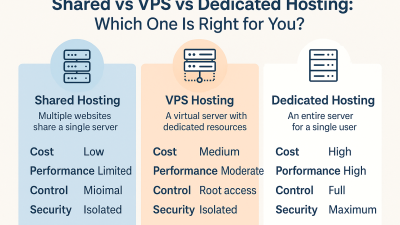
Not every website needs the same hosting setup. The right type depends on your traffic, budget, and technical comfort level. Here is how the main options compare.
Shared Hosting
Shared hosting places your website on a server alongside dozens or hundreds of other sites, all splitting the same CPU, RAM, and bandwidth. It remains the most affordable entry point, which makes it a natural fit for portfolios, small blogs, and new business sites with modest traffic.
However, a traffic spike on a neighboring site can slow yours down too, since resources are pooled across every account on the server.
VPS Hosting
VPS hosting divides a physical server into isolated virtual sections, so your share of CPU and RAM stays yours alone even though the hardware is technically shared. As a result, a VPS handles considerably more traffic than shared hosting before performance suffers.
It costs more than shared hosting and expects a bit more technical comfort, which makes it the natural next step once a site outgrows shared hosting’s performance ceiling.
Dedicated Hosting
Dedicated hosting gives you an entire physical server with full root access and nothing shared. This setup suits high-traffic businesses that need maximum performance and control.
In exchange, dedicated hosting is the most expensive option, and it requires either an in-house team or a managed add-on to handle server administration properly.
Cloud Hosting
Cloud hosting spreads your website across a network of interconnected servers instead of relying on one machine. Therefore, if one server fails or gets overloaded, traffic automatically reroutes to another, which makes cloud hosting one of the most resilient options for sites with unpredictable or seasonal traffic.
Pricing is usually usage-based, so costs scale with actual demand rather than a flat monthly rate.
Managed WordPress Hosting
Managed WordPress hosting is a specialized layer built specifically for WordPress sites. The provider handles core updates, plugin updates, caching, and backups automatically, and typically hardens the server against the vulnerabilities that make WordPress a frequent malware target.
It costs more than standard hosting, but for site owners who prefer not to manage server maintenance themselves, it removes a significant amount of ongoing work.
Key Features to Check Before Buying a Web Hosting Plan
Nearly 47 percent of users expect a page to load in two seconds or less, so it pays to verify the technical basics before committing to a hosting plan rather than after.
- Uptime guarantee: Look for 99.9 percent or higher, and check published historical uptime data rather than relying on marketing promises alone.
- Server response time (TTFB): A slow time to first byte drags down every page on your site, regardless of how well it is optimized otherwise.
- Storage and bandwidth: Confirm the plan matches not just today’s traffic but where you expect your site to be in a year.
- Security tooling: Free SSL, a web application firewall, and DDoS protection should come included, not sold as upsells.
- Backup frequency: Daily backups are the baseline, and testing a restore matters more than how often backups run.
- Support channels: 24/7 live chat or phone support beats a ticket-only system whenever something breaks outside business hours.
Free Web Hosting vs Paid Web Hosting
Free hosting plans exist, and they work fine for a short experiment or a test project nobody else will visit. For anything meant to attract real traffic, free hosting usually costs more than it saves, in the form of forced ads, tight storage caps, no custom domain support, and support that barely exists when something breaks.

Given that 82 percent of consumers say slow page speeds directly affect their purchasing decisions, according to Unbounce research, the performance limits of free hosting alone make it a poor fit for any site trying to earn revenue or trust. Paid hosting, even at entry-level pricing, buys consistent performance, a professional-looking domain, and dependable support.
How to Set Up Web Hosting Step by Step?
- Buy or connect a domain. Register a new one, or point an existing domain’s nameservers at your new host.
- Access your control panel. Most hosts use cPanel or a similar dashboard to manage files, databases, and email.
- Install your CMS or upload files. A one-click WordPress installer covers most beginners, while custom-built sites typically upload through FTP or SFTP.
- Turn on SSL. This encrypts traffic between your visitors and your server and is standard practice for both security and search visibility. Most hosts include a free certificate through Let’s Encrypt.
- Set up email and backups. Configure domain-based email addresses, and confirm automatic backups are actually running rather than just available as an option.
- Test before launch. Check load speed, mobile rendering, and broken links before sending real traffic to the new site.
Web Hosting Best Practices for Beginners
- Start on shared or entry-level hosting if you are new. There is no reason to pay for capacity you will not use for a year.
- Review your plan every six to twelve months, since traffic growth usually creeps up gradually rather than all at once.
- Add a CDN once your audience is not local. Since mobile traffic now makes up more than half of global visits, caching your site closer to visitors meaningfully cuts load times.
- Treat backups as essential, not optional, and test a restore at least once before you actually need it under pressure.
- Monitor uptime yourself using a tool like UptimeRobot, so you learn about downtime before a customer tells you.
Frequently Asked Questions
Web hosting is a service that stores your website’s files on a server and makes them available to anyone who types your domain name into a browser. Without hosting, a website has no place to live online.
Shared hosting plans typically start at a few dollars a month, while VPS, cloud, and dedicated hosting cost more depending on resources and traffic. Managed WordPress hosting usually sits in the middle, priced for convenience rather than raw server power.
A domain name is the address visitors type in, while web hosting is the storage and computing power behind that address. You can buy both from the same company or from two different providers, since neither purchase depends on the other.
Shared hosting is generally the best starting point for beginners, since it is affordable and requires no technical server management. As traffic grows, most sites eventually move to VPS or cloud hosting for better performance.
Yes, switching hosting providers is common as a website grows. Most hosts offer migration tools or support to move your files, databases, and domain settings without significant downtime.