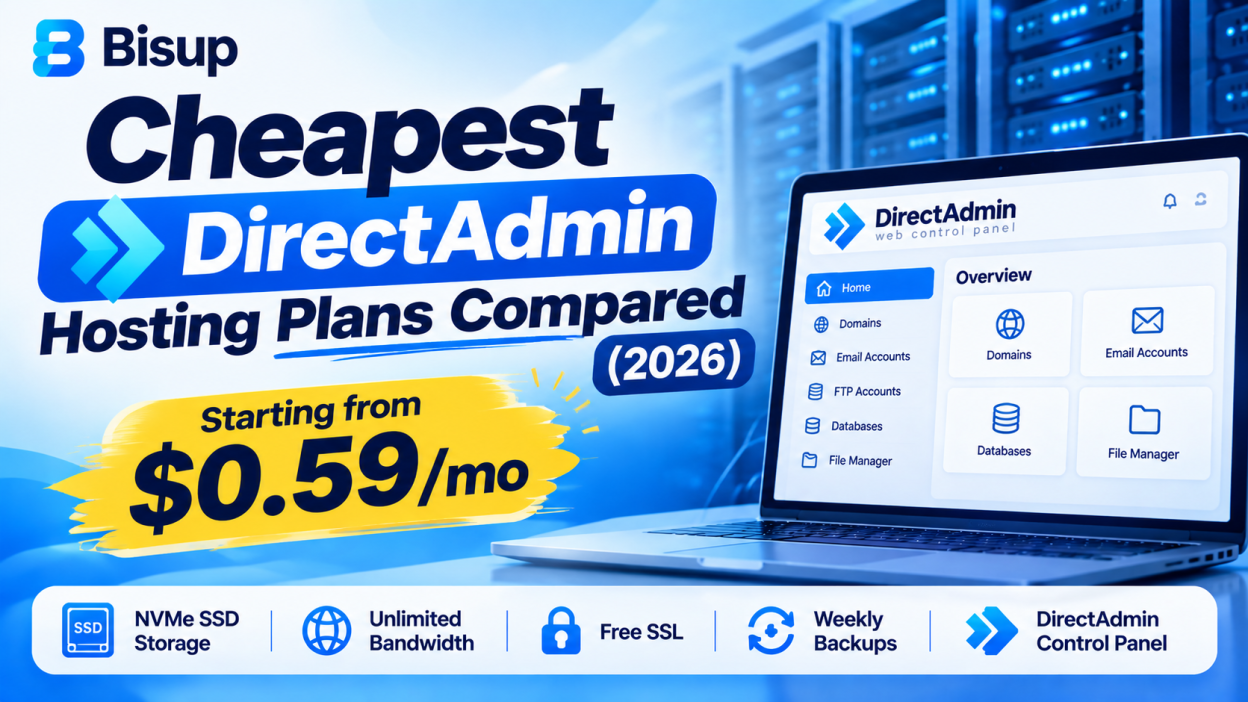
I spent an entire weekend a few months back just comparing DirectAdmin hosting prices. Not because I had nothing better to do, but because I run a couple of small client sites and my old hosting bill was starting to annoy me every renewal. I kept seeing “DirectAdmin hosting” ads promising crazy low prices, and I honestly didn’t know which ones were legit and which ones were going to bite me later with some hidden renewal fee.
So I went through a bunch of them myself, checked what you actually get for the price, and this is basically a write up of what I found. If you’re trying to figure out where to get cheap DirectAdmin hosting without getting burned, hopefully this saves you the weekend I lost.
Why I Was Even Looking at DirectAdmin in the First Place
Quick bit of background if you’re new to this. DirectAdmin is a hosting control panel, kind of like cPanel, except it’s lighter on server resources and usually a lot cheaper for hosting companies to license. That savings often gets passed down to you as the customer, which is why you’ll see DirectAdmin hosting plans priced noticeably lower than equivalent cPanel plans.
I wasn’t looking to build anything fancy. Just simple WordPress sites, a bit of email, nothing that needs a ton of horsepower. So my main filter was: cheapest plan that still gives me real storage, doesn’t throttle me, and doesn’t do the classic “super low price now, insane renewal price later” trick.
What I Actually Checked, Not Just the Sticker Price
Before I even looked at numbers, I made myself a short checklist, because the price alone tells you almost nothing.
- Is the storage real SSD or NVMe, or is it some slower spinning disk they don’t mention upfront
- Is the low price only for the first term, and if so, what’s the renewal price
- Does it actually include free SSL, or is that an upsell
- How many websites and email accounts am I actually allowed
- Is there a real migration option if I want to move an existing site over
A lot of the flashy “$1 a month” ads I found didn’t hold up once I checked the fine print on renewal pricing. So keep that checklist in your head while reading the rest of this, because the cheapest plan on paper isn’t always the cheapest plan over two years.
The Ultra Budget Tier: Under $1 a Month
There’s a whole world of super cheap DirectAdmin hosting out there if you go looking, some of it priced almost like a joke, a few dollars a year kind of pricing. I found a handful of smaller hosting providers running deals like this, mostly advertised on hosting deal forums.
Honestly, my experience poking around this tier was mixed. Some of these are run by small, one or two person operations. That’s not automatically bad, some of them are genuinely reliable and just keep their overhead low. But a few had really vague specs, unclear support hours, and reviews that made me nervous about long term reliability. If your website is just a personal blog you don’t care much about, this tier might be fine to experiment with. If it’s a client site or anything you actually depend on, I’d be careful here. Cheap is good, but not if the server disappears in six months.
The Budget Tier: Around $1 to $3 a Month
This is where things started looking more sensible to me. A few providers I looked at offer proper DirectAdmin shared hosting starting somewhere in the $1 to $3 a month range, with actual SSD or NVMe storage, free SSL included by default, and decent support behind it.
This tier felt like the sweet spot for smaller sites. You’re not getting unlimited everything, but you’re also not gambling on a server that might vanish. Most plans I saw in this range gave somewhere around 5 to 10 GB of storage, enough email accounts for a small business, and included the basics like daily backups or at least the option to add them.
If you’re hosting one or two simple sites and want something cheap but still dependable, this is probably where you should be shopping.
The Better Value Tier: Around $3 to $8 a Month
This is where I ended up spending most of my actual comparison time, because this range is where you start getting real headroom. More storage, more RAM allocated to your account, more websites allowed under one plan, and usually better hardware behind it, things like NVMe storage and LiteSpeed web servers instead of the older Apache setup.
I ended up going with a plan in this range myself, mainly because I wanted to host a handful of sites under one account instead of paying separately for each one. The plan I picked gave me a decent chunk of NVMe storage, a good number of email accounts, daily backups, and free migration when I moved my old site over. Worth mentioning, some hosts in this tier are still surprisingly cheap on the entry plan, I saw starting prices as low as around 50 to 60 cents a month on promotional annual pricing for the most basic tier, which genuinely surprised me given what was included.
Just remember, promotional pricing usually applies to your first term. Always check what the renewal rate looks like before you commit long term.
What About VPS Level DirectAdmin Hosting
If shared hosting isn’t enough for you, some bigger providers also offer DirectAdmin on VPS plans, meaning you get your own dedicated slice of server resources instead of sharing with other accounts. These start noticeably higher, usually somewhere around $5 to $6 a month for an entry level VPS, and go up from there depending on RAM and CPU cores.
I didn’t personally need this for my sites, but if you’re running something with real traffic or multiple client sites that need isolation from each other, it’s worth looking into once your shared hosting plan starts feeling cramped.
The Renewal Price Trap, Seriously Watch This
I want to spend a bit more time on this because it’s the thing that actually cost me money in the past, before I learned to check for it. A lot of hosting companies, not just DirectAdmin providers, advertise a super low introductory price, then quietly bump it up two, three, sometimes four times higher once your first term ends.
Before you buy anything based on price alone, scroll down to the fine print or the billing page and actually look for the renewal price, not just the first term price. Some providers are upfront about this and even say things like “no renewal price hikes” directly on their pricing page, which honestly made me trust them more just for being straightforward about it. Others bury it, and you only find out when your card gets charged triple the following year.
What I Actually Went With, and Why
I ended up picking a plan in that $3 to $8 a month range I mentioned, mainly for three reasons. First, the pricing was transparent, I could see exactly what the renewal would look like before I paid anything. Second, it included free migration, which saved me the headache of moving my existing site manually. Third, the storage was real NVMe, not some vague “SSD” label that turns out to be a shared spinning disk under the hood.
I’m not going to pretend one specific plan is right for everyone, because it really depends on how many sites you’re running and how much traffic you’re expecting. But if I had to give one piece of advice from all this comparing, it’s this: don’t chase the absolute lowest number you see. Chase the lowest number that still comes with real specs, a clear renewal price, and decent support behind it.
How to Actually Compare Plans Yourself
If you want to do your own comparison instead of just trusting a blog post, here’s basically the process I used.
- Make a shortlist of four or five DirectAdmin hosting providers, mixing well known names with a couple of smaller ones people mention positively on hosting forums
- Open each pricing page and note down storage, RAM if listed, number of websites allowed, and email account limits
- Scroll to find the renewal price, not just the first term price, this is usually in smaller text or on a separate billing FAQ
- Check if free SSL and free migration are actually included or listed as an extra cost
- Search the provider’s name along with the word “reviews” and skim a few, mainly looking for complaints about downtime or support response times
- Compare your shortlist side by side in a simple spreadsheet, price per month, real specs, and renewal price as three separate columns
Doing it this way took me maybe an hour, way less than the scattered weekend I originally spent clicking around randomly.
A Few Questions I Got Asked After Sharing This With Friends
Is the cheapest DirectAdmin hosting plan always the worst one? Not necessarily. Some of the cheapest plans I found were genuinely decent, especially in that $1 to $3 range. The real red flags are vague specs and no clear renewal pricing, not just a low number by itself.
Can I upgrade later if I start on the cheapest plan? Pretty much every provider I looked at let you upgrade to a higher tier later without starting over. So starting cheap and small isn’t really a risk, you can scale up once you actually need to.
Is DirectAdmin hosting always cheaper than cPanel hosting? In my experience comparing plans side by side, yes, usually noticeably cheaper for similar specs, mainly because DirectAdmin’s licensing costs less for the hosting company, and that savings tends to get passed on.
Should I trust the super cheap under $1 a year deals? I’d be cautious, especially for anything you depend on. Some are fine, but the reliability is harder to judge, and support quality varies a lot at that price point. Read recent reviews before trusting one with a real project.
Wrapping This Up
If you’re shopping for cheap DirectAdmin hosting right now, my honest advice is to stop comparing just the sticker price and start comparing the whole picture, storage, renewal cost, migration support, and what actual reviews say. The good news is there are genuinely solid options out there in almost every budget range, from barely a dollar a month up to proper NVMe powered plans under ten dollars. You just have to look a little past the big number on the homepage before you commit.
One More Thing Worth Mentioning
Something I didn’t think about at first but noticed later, check what web server software sits behind the DirectAdmin panel too. A lot of the better value plans I found were running LiteSpeed instead of the older Apache setup, and I could genuinely feel the difference in page load times once I switched. It’s a small detail that doesn’t show up on the pricing page headline, but it made a bigger difference to my actual site speed than I expected going in. If two plans are priced the same, and one mentions LiteSpeed while the other doesn’t say, that’s usually the better pick.
Also, don’t skip checking what happens with backups. Some cheap plans only give you backups if you set them up and pay extra, while others include daily backups by default even on the entry tier. That’s the kind of thing you don’t think about until the day something breaks and you realize you have no recent backup to restore from. Learned that one the hard way on an old hosting account years before I ever touched DirectAdmin, so now it’s one of the first things I check no matter how good the price looks.