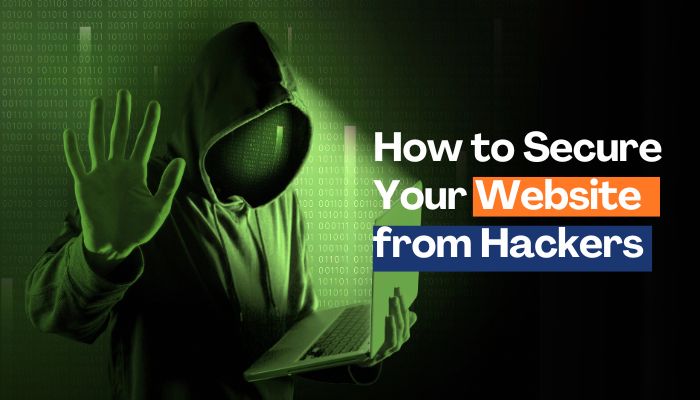
In today’s digital age, your website is often the face of your business or personal brand. Whether it’s an e-commerce store, a blog, or a portfolio, your online presence is a valuable asset. Unfortunately, it’s also a prime target for hackers. Cyberattacks are on the rise, with hackers exploiting vulnerabilities to steal data, deface websites, or hold them hostage for ransom. The good news? You don’t need to be a cybersecurity expert to protect your website. With the right strategies and a proactive mindset, you can significantly reduce your risk and keep your site safe. In this article, we’ll walk you through practical, actionable steps to secure your website from hackers, written in a way that feels approachable and human.
Why Website Security Matters
Imagine waking up to find your website defaced, customer data stolen, or your site completely offline. It’s a nightmare scenario that can cost you money, reputation, and trust. According to studies, over 40% of small businesses experience some form of cyberattack, and websites are often the entry point. Hackers don’t always target big corporations—small sites are just as vulnerable, especially if they lack proper security measures.
Securing your website isn’t just about protecting code; it’s about safeguarding your hard work, your customers, and your peace of mind. Let’s dive into the steps you can take to lock down your site and keep hackers at bay.
1. Keep Your Software Up to Date
One of the easiest ways hackers infiltrate websites is through outdated software. Whether it’s your content management system (CMS) like WordPress, Joomla, or Drupal, or the plugins and themes you use, vulnerabilities in old versions are a goldmine for attackers.
What to Do:
- Enable Automatic Updates: Most platforms allow you to turn on automatic updates for core software, plugins, and themes. This ensures you’re always running the latest, most secure version.
- Check for Updates Regularly: If automatic updates aren’t an option, set a monthly reminder to manually check for updates.
- Remove Unused Plugins or Themes: If you’re not using a plugin or theme, delete it. Unused components are often neglected and can become entry points for hackers.
Why It Works:
Developers release updates to patch security holes. By staying current, you’re closing the door on known vulnerabilities before hackers can exploit them.
2. Use Strong, Unique Passwords
It sounds basic, but weak passwords are still one of the top reasons websites get hacked. If your admin password is “password123” or even your dog’s name, you’re practically rolling out the welcome mat for hackers.
What to Do:
- Create Complex Passwords: Use a mix of uppercase, lowercase, numbers, and special characters. Aim for at least 12-16 characters. For example, “Tr0p!cal$un5et2025” is much harder to crack than “sunset25.”
- Use a Password Manager: Tools like LastPass, 1Password, or Bitwarden can generate and store strong passwords for you, so you don’t have to remember them all.
- Enable Two-Factor Authentication (2FA): 2FA adds an extra layer of security by requiring a second form of verification, like a code sent to your phone or email.
Why It Works:
Strong passwords and 2FA make it exponentially harder for hackers to gain access, even if they manage to steal your login details.
3. Choose a Secure Hosting Provider
Your hosting provider is like the foundation of your website’s house. If it’s shaky, no amount of locks on the door will keep intruders out. Some hosting companies prioritize speed and cost over security, leaving your site vulnerable.
What to Do:
- Research Your Host: Look for providers with a strong security track record. Check reviews and ask about features like firewalls, malware scanning, and DDoS protection.
- Opt for Managed Hosting: For CMS platforms like WordPress, managed hosting often includes automatic updates, backups, and enhanced security features.
- Use Dedicated or VPS Hosting: Shared hosting can be risky—if another site on the same server gets hacked, your site could be affected too. Dedicated or virtual private server (VPS) hosting isolates your site for better security.
Why It Works:
A reputable hosting provider invests in server-level security, reducing the chances of your site being compromised through shared vulnerabilities.
4. Install an SSL Certificate
You’ve probably noticed the little padlock icon in your browser’s address bar when visiting secure websites. That’s an SSL (Secure Sockets Layer) certificate at work, encrypting data between your website and its visitors.
What to Do:
- Get an SSL Certificate: Many hosting providers offer free SSL certificates through Let’s Encrypt. If not, you can purchase one from companies like DigiCert or GoDaddy.
- Force HTTPS: Once your SSL is installed, configure your site to redirect all HTTP traffic to HTTPS. This ensures all connections are encrypted.
- Monitor SSL Expiry: Certificates typically expire after one to two years, so set a reminder to renew yours on time.
Why It Works:
SSL encrypts sensitive information like login credentials and payment details, making it nearly impossible for hackers to intercept. Plus, HTTPS is a ranking factor for Google, so it’s a win-win.
5. Implement a Web Application Firewall (WAF)
A Web Application Firewall (WAF) acts like a bouncer for your website, filtering out malicious traffic before it reaches your server. It’s particularly effective against common attacks like SQL injection and cross-site scripting (XSS).
What to Do:
- Choose a WAF Service: Popular options include Cloudflare, Sucuri, and AWS WAF. Many offer free or affordable plans for small websites.
- Configure Rules: Customize your WAF to block suspicious IP addresses, limit login attempts, and detect unusual activity.
- Monitor Logs: Regularly check your WAF logs to spot patterns of attempted attacks and adjust your settings accordingly.
Why It Works:
A WAF stops many attacks in their tracks, giving your website an extra layer of defense against automated bots and targeted exploits.
6. Back Up Your Website Regularly
Even with the best security measures, no website is 100% hack-proof. Regular backups ensure that if something goes wrong, you can restore your site quickly without losing data.
What to Do:
- Automate Backups: Use a plugin like UpdraftPlus (for WordPress) or a hosting provider’s built-in backup tool to schedule daily or weekly backups.
- Store Backups Offsite: Keep copies of your backups on a secure cloud service like Google Drive or Dropbox, or an external hard drive. Don’t rely solely on your hosting provider’s storage.
- Test Your Backups: Periodically restore a backup to a test environment to make sure it works.
Why It Works:
Backups are your safety net. If a hacker deletes your files or locks you out, you can wipe the slate clean and restore your site to its former glory.
7. Limit User Access and Permissions
The more people who have access to your website’s backend, the higher the risk of a breach—whether intentional or accidental. A disgruntled employee or a compromised account can spell disaster.
What to Do:
- Use Role-Based Access: Assign roles like “Editor” or “Contributor” instead of giving everyone admin privileges. Only trusted individuals should have full control.
- Remove Inactive Users: If someone no longer needs access (e.g., a former freelancer), revoke their credentials immediately.
- Monitor Activity: Use tools like Wordfence or iThemes Security to track login attempts and user actions.
Why It Works:
Limiting access reduces the number of potential weak points, making it harder for hackers to exploit insider accounts.
8. Scan for Malware and Vulnerabilities
Hackers often inject malware or exploit vulnerabilities without you noticing—until it’s too late. Regular scans can catch issues early.
What to Do:
- Use Security Plugins: For WordPress, plugins like Sucuri or MalCare can scan for malware and vulnerabilities. Other platforms have similar tools.
- Hire a Security Service: Companies like SiteLock offer comprehensive scanning and cleanup services for a fee.
- Check for Suspicious Activity: Look for unfamiliar files, unexpected redirects, or strange user accounts in your CMS.
Why It Works:
Proactive scanning catches threats before they escalate, allowing you to fix issues before hackers can do serious damage.
9. Educate Yourself and Your Team
Technology is only half the battle—human error is a leading cause of security breaches. A team member clicking a phishing link or reusing a password can undo all your hard work.
What to Do:
- Learn the Basics: Take a free online course on cybersecurity from platforms like Coursera or Cybrary.
- Train Your Team: Hold regular workshops on spotting phishing emails, using secure passwords, and following best practices.
- Stay Informed: Follow cybersecurity blogs like Krebs on Security or The Hacker News to keep up with emerging threats.
Why It Works:
An informed team is your first line of defense. The more you and your colleagues know, the less likely you are to fall for common tricks.
10. Have a Response Plan
Despite your best efforts, breaches can still happen. Having a plan in place ensures you can respond quickly and minimize damage.
What to Do:
- Document Your Plan: Outline steps like isolating the affected server, restoring from a backup, and notifying users if data was compromised.
- Know Who to Contact: Keep contact info for your hosting provider, security service, and legal advisor handy.
- Communicate Transparently: If customers are affected, inform them promptly and explain what you’re doing to fix the issue.
Why It Works:
A clear plan reduces panic and downtime, helping you recover faster and maintain trust with your audience.
Final Thoughts
Securing your website from hackers might seem daunting, but it’s entirely achievable with a bit of effort and vigilance. By keeping your software updated, using strong passwords, choosing a reliable host, and staying proactive with backups and scans, you’re building a fortress around your digital home. It’s not about being perfect—it’s about making your site a tough target that hackers will skip in favor of easier prey.
Think of website security like maintaining a car: regular checkups, a few upgrades, and a little TLC go a long way. Start with one or two steps from this list today, and build from there. Your website—and your peace of mind—will thank you.
Stay safe out there!