Every business today depends on its website.
Whether you run an online store, a corporate website, a school portal, a travel agency, or a customer management platform, your website has become one of your most valuable business assets. It represents your brand, generates leads, processes customer information, and often handles payments.
Unfortunately, it is also one of the most targeted assets by cybercriminals.
Many business owners believe hackers only target large organizations. The reality is completely different. Most cyber attacks are automated. Bots continuously scan millions of websites every day looking for weak passwords, outdated software, missing security updates, exposed databases, and vulnerable hosting environments.
Hackers don’t necessarily care who you are.
They care whether your website is easy to exploit.
A successful attack can result in:
- Website downtime
- Stolen customer information
- SEO ranking loss
- Google blacklist warnings
- Revenue loss
- Expensive recovery costs
- Permanent damage to your business reputation
The good news?
Most website hacks happen because of simple, preventable mistakes—not sophisticated attacks.
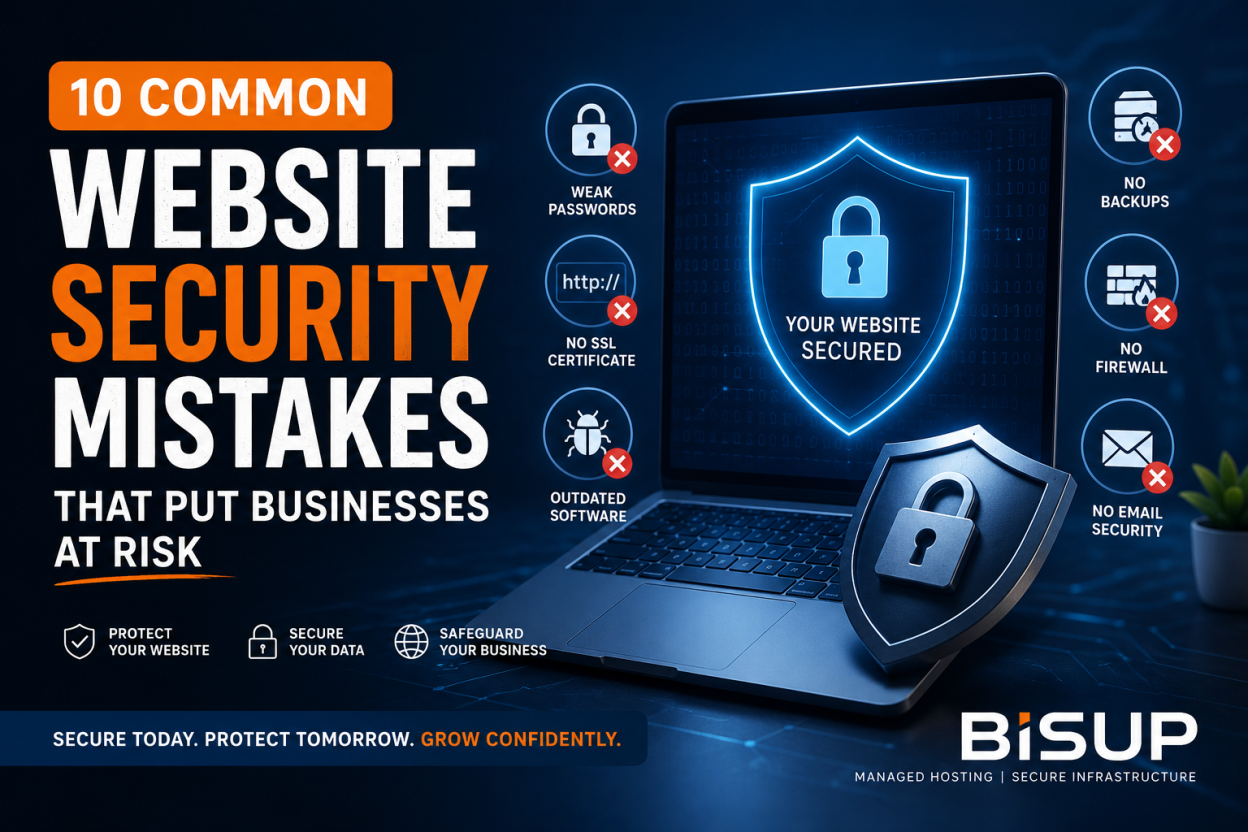
In this guide, we’ll explore the 10 most common website security mistakes businesses make and explain how you can protect your website before it becomes the next target.
Mistake #1: Using Weak Passwords
This is still the number one reason websites get compromised.
Many businesses continue using passwords like:
- admin123
- companyname2025
- password123
- welcome123
Some even reuse the same password across:
- Hosting account
- WordPress admin
- Database
- FTP
- Cloud server
If one password gets leaked in a data breach, attackers immediately try it everywhere else.
This technique is called credential stuffing, and it succeeds surprisingly often.
How to Protect Yourself
Always use:
- Passwords with at least 16 characters
- Uppercase and lowercase letters
- Numbers
- Symbols
- Unique passwords for every service
Password managers such as Bitwarden or 1Password make managing strong passwords simple.
Never share administrative credentials over email or messaging apps.
Mistake #2: Not Using an SSL Certificate
Have you ever noticed the small padlock beside a website address?
That padlock represents an SSL certificate.
SSL encrypts communication between your visitors and your website, preventing attackers from intercepting sensitive information like:
- Login credentials
- Credit card information
- Customer data
- Contact forms
Without SSL:
- Browsers display “Not Secure”
- Visitors lose trust
- Google may reduce your search rankings
- Sensitive information can be intercepted
Many businesses mistakenly assume SSL is optional.
Today, it’s an essential security requirement.
Signs Your Website Needs SSL
- Website loads with HTTP instead of HTTPS
- Browser displays security warnings
- Forms collect customer information
- Online payments are accepted
- Users create accounts
Every modern business website should use HTTPS across all pages—not just the login screen.
Mistake #3: Running an Outdated CMS
Content Management Systems like WordPress make website management easy.
They also become attractive targets when they’re outdated.
Cybercriminals actively scan the internet looking for websites running old versions of:
- WordPress
- Joomla
- Drupal
- Magento
The same applies to:
- Themes
- Plugins
- Extensions
A single outdated plugin can give attackers complete control over your website.
Unfortunately, many businesses delay updates because they’re afraid something might break.
While compatibility testing is important, ignoring updates is far more dangerous.
Best Practice
Regularly update:
- CMS core
- Plugins
- Themes
- PHP version
- Server software
Always test updates on a staging environment before deploying them to production.
Mistake #4: Having No Backup Strategy
Imagine waking up tomorrow to discover your website has disappeared.
Would you be able to restore it?
Many businesses believe their hosting provider automatically keeps backups.
Some do.
Many don’t.
Others only retain backups for a few days.
Without reliable backups, recovering from:
- Malware
- Hardware failures
- Human mistakes
- Ransomware
- Server crashes
can become nearly impossible.
A Good Backup Strategy Includes
- Daily automatic backups
- Off-site backup storage
- Multiple recovery points
- Regular backup testing
- One-click restoration
Remember:
A backup you have never tested is not a backup you can trust.
Mistake #5: Not Using a Web Application Firewall (WAF)
Think of your website like a building.
A firewall acts as the security guard standing at the entrance.
Instead of allowing every visitor inside, it checks whether requests are legitimate before they reach your server.
A Web Application Firewall helps block:
- SQL Injection attacks
- Cross-Site Scripting (XSS)
- Brute-force login attempts
- Malicious bots
- DDoS traffic
- Known exploit patterns
Without a firewall, your server must deal with every incoming request—including malicious ones.
A properly configured firewall dramatically reduces your attack surface.
Mistake #6: Ignoring Software Updates
Software updates aren’t just about adding new features.
Most updates contain critical security patches.
Once a vulnerability becomes public, hackers begin scanning for websites that haven’t installed the fix.
Sometimes exploitation begins within hours of an update being released.
This applies to:
- Operating systems
- Control panels
- PHP
- MySQL
- Apache
- Nginx
- LiteSpeed
- Database software
- Security tools
Ignoring updates leaves your infrastructure exposed to vulnerabilities that attackers already know how to exploit.
Smart Update Strategy
Schedule maintenance windows.
Monitor vendor security announcements.
Install security patches promptly.
Delaying updates for months significantly increases your risk.
Mistake #7: Not Enabling Multi-Factor Authentication (MFA)
Passwords alone are no longer enough.
Even strong passwords can be:
- Stolen
- Phished
- Leaked
- Reused
Multi-Factor Authentication adds another verification step, such as:
- Authentication app
- Security key
- One-time code
Even if an attacker discovers your password, they still cannot access your account without the second authentication factor.
Enable MFA for:
- Hosting control panel
- WordPress administrator
- Email accounts
- Cloud platforms
- Domain registrar
- Database administration
This simple step prevents countless account compromises every year.
Mistake #8: Incorrect File Permissions
Website files should only be accessible to the people and services that actually need them.
Unfortunately, many websites accidentally grant excessive permissions.
Examples include:
- 777 permissions on directories
- Publicly accessible configuration files
- Writable system folders
- Exposed backup files
Improper permissions allow attackers to:
- Upload malicious scripts
- Modify website content
- Execute unauthorized code
- Steal sensitive configuration data
Recommended Practices
Use the principle of least privilege.
Restrict write permissions.
Protect configuration files.
Disable directory listing whenever possible.
Regularly audit your file permissions.
Mistake #9: Ignoring Email Security
Cybersecurity isn’t limited to websites.
Email remains one of the most common attack vectors.
Business email accounts are constantly targeted through:
- Phishing
- Spoofing
- Malware attachments
- Business Email Compromise (BEC)
If attackers gain access to your business email, they may reset passwords for your hosting account, cloud services, banking platforms, or customer portals.
That’s why website security and email security should always work together.
Essential Email Security Measures
Enable:
- SPF
- DKIM
- DMARC
Use spam filtering.
Enable Multi-Factor Authentication.
Train employees to identify phishing attempts.
Regularly review suspicious login activity.
Strong email security significantly reduces the likelihood of successful cyber attacks.
Mistake #10: Choosing Cheap or Unmanaged Hosting
Many businesses select hosting based on one factor:
Price.
While affordable hosting can be suitable for personal projects, business websites require much more than disk space and bandwidth.
Low-cost unmanaged hosting often lacks:
- Malware scanning
- Firewall protection
- Backup management
- Performance optimization
- Security monitoring
- Expert technical support
- Proactive threat detection
When something goes wrong, businesses are often responsible for fixing everything themselves.
The hidden costs quickly exceed the money initially saved.
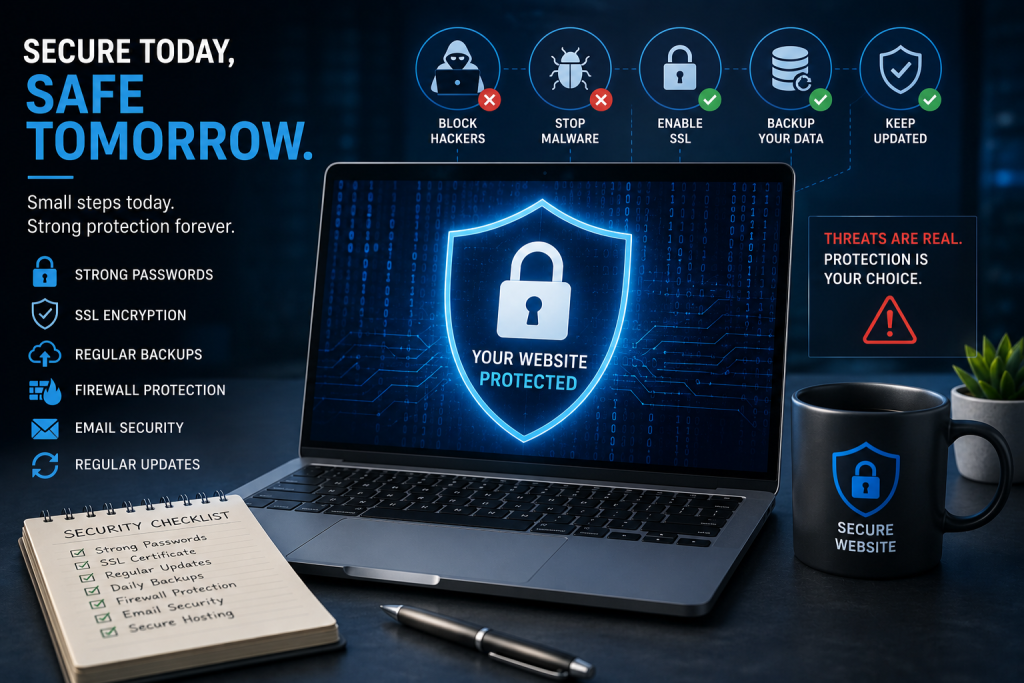
What Secure Managed Hosting Should Include
A quality managed hosting provider should offer:
- Automatic updates
- Daily backups
- Server monitoring
- Malware scanning
- Firewall protection
- SSL management
- Performance optimization
- DDoS mitigation
- 24/7 technical support
- Disaster recovery assistance
Managed hosting allows business owners to focus on growing their business instead of constantly worrying about server security.
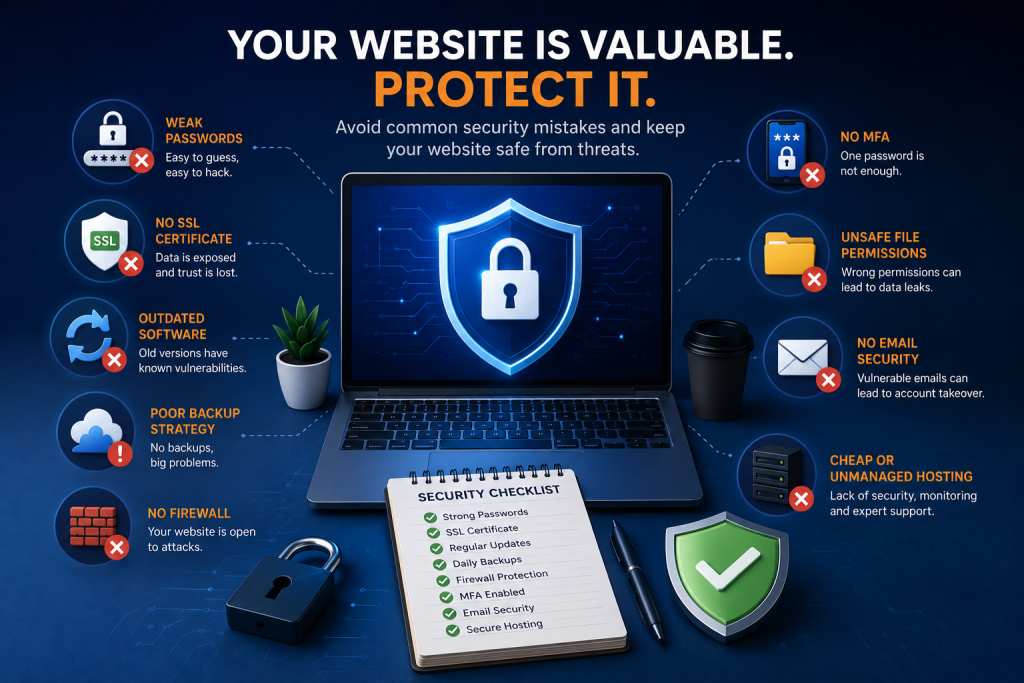
Website Security Checklist
Use this quick checklist to evaluate your website’s security posture.
Strong unique passwords
SSL certificate installed
HTTPS enabled across the website
CMS updated regularly
Plugins and themes updated
Daily automated backups
Off-site backup storage
Web Application Firewall enabled
Multi-Factor Authentication enabled
Secure file permissions configured
Email authentication (SPF, DKIM, DMARC)
Malware scanning enabled
Security monitoring active
Reliable managed hosting provider
If you checked “No” to any of these, your website may have unnecessary security risks that should be addressed.
How BISUP Protects Your Infrastructure
At BISUP, security is built into every layer of our managed hosting platform.
Rather than expecting businesses to manage complex server configurations themselves, we take a proactive approach to website protection.
Our managed hosting services include:
SSL Certificate Management
We help ensure your website always uses secure HTTPS connections, protecting customer data and improving visitor trust.
Automated Daily Backups
Your website is backed up regularly, making recovery fast and reliable if something unexpected happens.
Proactive Malware Monitoring
Our systems continuously monitor for suspicious activity, helping detect threats before they become major incidents.
Firewall Protection
Advanced firewall technologies help block malicious traffic, brute-force attacks, and common web exploits before they reach your applications.
Performance and Security Optimization
We keep server software updated, optimize performance, and apply security best practices to reduce vulnerabilities while maintaining speed.
Expert Technical Support
If you ever experience an issue, our experienced engineers are available to help diagnose and resolve problems quickly, minimizing downtime.
Whether you operate a business website, an e-commerce platform, or a growing web application, our goal is to provide a secure, reliable hosting environment so you can focus on your business—not on server administration.
Final Thoughts
Website security is not a one-time task. It is an ongoing process that requires attention, regular maintenance, and proactive protection.
The majority of successful cyber attacks don’t happen because hackers use advanced techniques. They happen because businesses overlook basic security practices—weak passwords, outdated software, missing backups, or unmanaged hosting environments.
By addressing the ten mistakes discussed in this guide, you can significantly reduce the risk of data breaches, malware infections, downtime, and costly recovery efforts.
Think of website security as an investment rather than an expense. A secure website protects your customers, strengthens your reputation, supports your search engine rankings, and keeps your business operating without interruption.
If you’re unsure whether your current website is adequately protected, now is the perfect time to review your security posture.
At BISUP, we help businesses secure their websites with managed hosting, proactive monitoring, automated backups, SSL management, and expert technical support—so you can concentrate on growing your business with confidence.
Protect your website before it becomes a target. Because prevention is always more affordable than recovery.