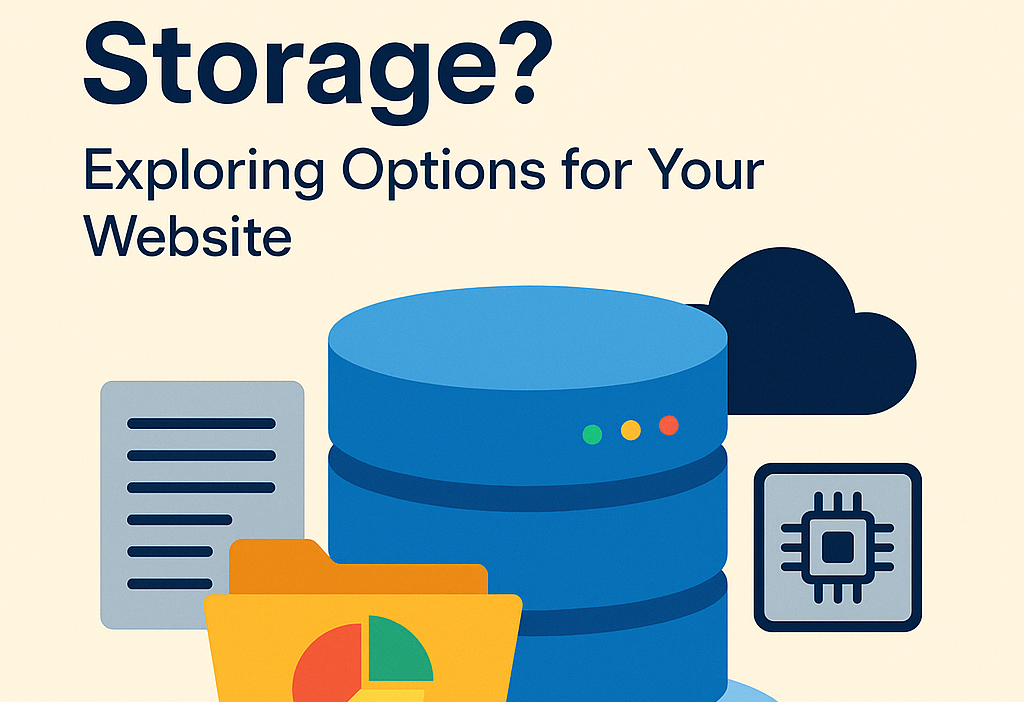
If you’ve ever built a website—or are planning to—you’ve probably come across the term data storage. But what exactly does it mean, and why is it important? Simply put, data storage refers to how and where your website’s information is kept. This includes everything from text and images to user data and backups.
In this blog, we’ll walk you through what data storage really is, why it matters for your website, and explore the different types of storage solutions available. Whether you’re launching a personal blog or running a full-fledged online store, understanding storage is key to keeping your site fast, reliable, and secure.
What Is Data Storage?
At its core, data storage is the method of saving digital information in a secure and organized way. Think of it like your website’s memory. Just like a computer needs a hard drive to store files, your website needs storage space to hold all of its content and functionality.
When someone visits your site, the browser loads content from this storage. The faster and more efficient the storage system, the quicker and smoother your website runs.
Why Does Data Storage Matter for a Website?
Here’s why choosing the right data storage is a big deal:
- Speed: Fast storage means faster loading times, and we all know how important that is. Visitors won’t wait long for a site to load—they’ll just click away.
- Reliability: A good storage solution ensures your website stays online and doesn’t crash.
- Scalability: As your site grows, you’ll need more space. Scalable storage lets you increase capacity without major overhauls.
- Security: Your website stores sensitive data—whether it’s user information, product details, or login credentials. Secure storage helps protect this data from threats.
- Backup and Recovery: In case something goes wrong—like a hack or server crash—reliable storage helps you restore your site quickly.
Types of Website Data Storage
Let’s explore the main types of data storage used for websites, so you can decide which one is right for your project.
1. Local Storage (On-Premises Servers)
Traditionally, websites were hosted on physical servers located in offices or data centers. These servers store website files locally.
- Pros:
- Full control over data and hardware
- Customizable to your needs
- Cons:
- High maintenance
- Requires technical expertise
- Costly to scale
This method is still used by large businesses that want full control over their infrastructure. However, for small websites, it’s often too complex and expensive.
2. Shared Hosting
Shared hosting is one of the most popular and budget-friendly options for beginners. Your website shares server space with other websites.
- Pros:
- Affordable
- Easy to use
- No technical setup required
- Cons:
- Limited storage and performance
- Security risks due to shared environment
- Not suitable for high-traffic sites
If you’re starting a blog, personal portfolio, or small business website, shared hosting could be a great place to begin.
3. VPS Hosting (Virtual Private Server)
VPS hosting offers a balance between shared hosting and having your own server. It divides a physical server into several virtual ones, each with its own resources.
- Pros:
- More control and better performance than shared hosting
- Scalable storage
- Suitable for growing websites
- Cons:
- Costs more than shared hosting
- Requires some technical knowledge
If your website is growing steadily, VPS is a smart upgrade.
4. Cloud Storage and Hosting
Cloud hosting stores your website data across multiple servers in different locations, rather than relying on one single machine.
- Pros:
- Highly scalable
- Excellent uptime and reliability
- Pay-as-you-go pricing
- Automatic backups and strong security
- Cons:
- Can be more expensive over time
- Pricing models can be confusing
Popular providers like Amazon Web Services (AWS), Google Cloud, and Microsoft Azure offer cloud storage options. Many hosting companies now use cloud technology under the hood.
5. Dedicated Hosting
With dedicated hosting, you get an entire server just for your website.
- Pros:
- Maximum control and performance
- High storage capacity
- Enhanced security
- Cons:
- Expensive
- Requires server management skills
This is ideal for high-traffic websites or businesses that need specialized configurations.
6. CDN Storage (Content Delivery Network)
While not a primary storage option, CDNs store copies of your website’s content (especially static files like images and videos) across multiple global locations.
- Pros:
- Faster loading times for visitors worldwide
- Reduces load on your main server
- Cons:
- Typically used alongside other storage
- May add extra costs
Using a CDN like Cloudflare or Akamai can boost your site’s speed and performance significantly.
How Much Storage Do You Really Need?
This depends on your website’s size and type. Here’s a general idea:
- Simple blog or portfolio: 1–2 GB is usually enough
- Small business website: 5–10 GB
- E-commerce site or large blog: 20–50+ GB
- Media-heavy site or app: 100+ GB and beyond
You’ll also want to consider bandwidth, which affects how much data your visitors can access and how many people can visit your site at once.
Tips for Choosing the Right Storage
- Assess your needs: Think about how much content you have now, and how fast you plan to grow.
- Look for scalability: Choose a storage option that lets you easily upgrade.
- Check uptime guarantees: Go for providers that promise 99.9% uptime or better.
- Prioritize security: Ensure your hosting provider offers strong security features like firewalls, SSL, and backups.
- Read reviews: See what other users are saying about reliability and customer support.
Final Thoughts
In the digital world, data storage is the foundation of your website. Whether you’re starting small with shared hosting or planning something big with cloud or dedicated servers, the right storage solution ensures your site runs smoothly, loads quickly, and stays secure.
As your site grows, your storage needs will too. Don’t be afraid to start simple and upgrade as needed. With the right planning and a reliable hosting provider, you’ll be well on your way to a strong online presence.